Getting started
This walks through installing Kraft, connecting a repo, running a work item end to end, and approving the one gate that stands in its way. Fifteen minutes, most of it spent waiting on an agent.
Doing this from a coding agent instead
Once Kraft is installed (step 1), most of the rest has a /kraft:* slash
command twin — /kraft:onboard instead of repo connect + admin init,
/kraft:board instead of view list, /kraft:gates instead of item
approve. See Agent integration if that's closer
to how you already work.
1. Install and start the server
uv tool install kraft-sdlc
kraft
On macOS, brew tap itsOmidKarami/kraft && brew install kraft works the same
way — see Install for that path, the install script, and
running from source.
Leave that running — it's the server, in the foreground, on
http://127.0.0.1:8765. Open that URL; you should see an empty board.
2. Connect a repo
From inside the repo you want Kraft to work on:
cd ~/code/my-project
kraft repo connect
This adds the repo to repos.yaml and probes it for a setup_command from
the repo's own markers (a justfile, a package.json, a pyproject.toml).
Check what it guessed before trusting it — see
Configuration → repos.yaml.
A repo with no setup_command at all stops its first work item rather than
guessing what to run in a fresh worktree.
3. File your first work item
The quick-task template has no gates — good for confirming the pipes are
connected before you trust it with something that has an opinion:
kraft item create "fix the flaky import test" --chain quick-task \
  --description "It's the datetime import, not the fixture."
This lands paused. Every work item does, whoever or whatever created it — see Concepts → Work item. Nothing has spent a token yet.
4. Start it, and watch
kraft item resume   # the CLI twin of clicking Start on the board
kraft view watch     # a live board, redrawn on every event
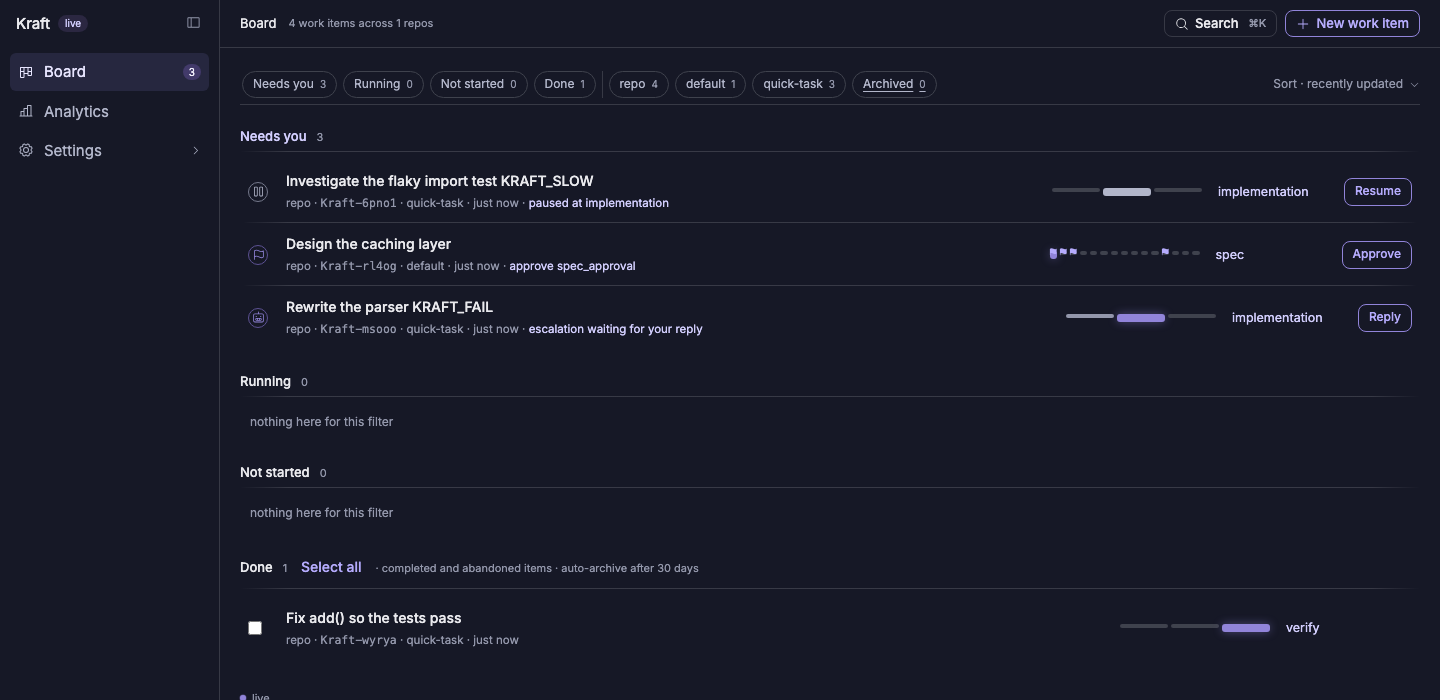
quick-task runs env_setup → implementation → verify with no gate, so if
the agent's fix is good, the item reaches Done on its own. If verify
fails, it retries within verify_fix_loop's cap
(policy.yaml) before
stopping for you.
5. Try the real chain, and its gate
default is the chain most work actually runs on — spec, then plan, then
implementation, then a human-review gate before merge. It's also the default
for --chain, so leaving the flag off is enough:
kraft item create "add a --dry-run flag to the sync command"
It stops at the first gate, spec_approval, the moment the spec is written:
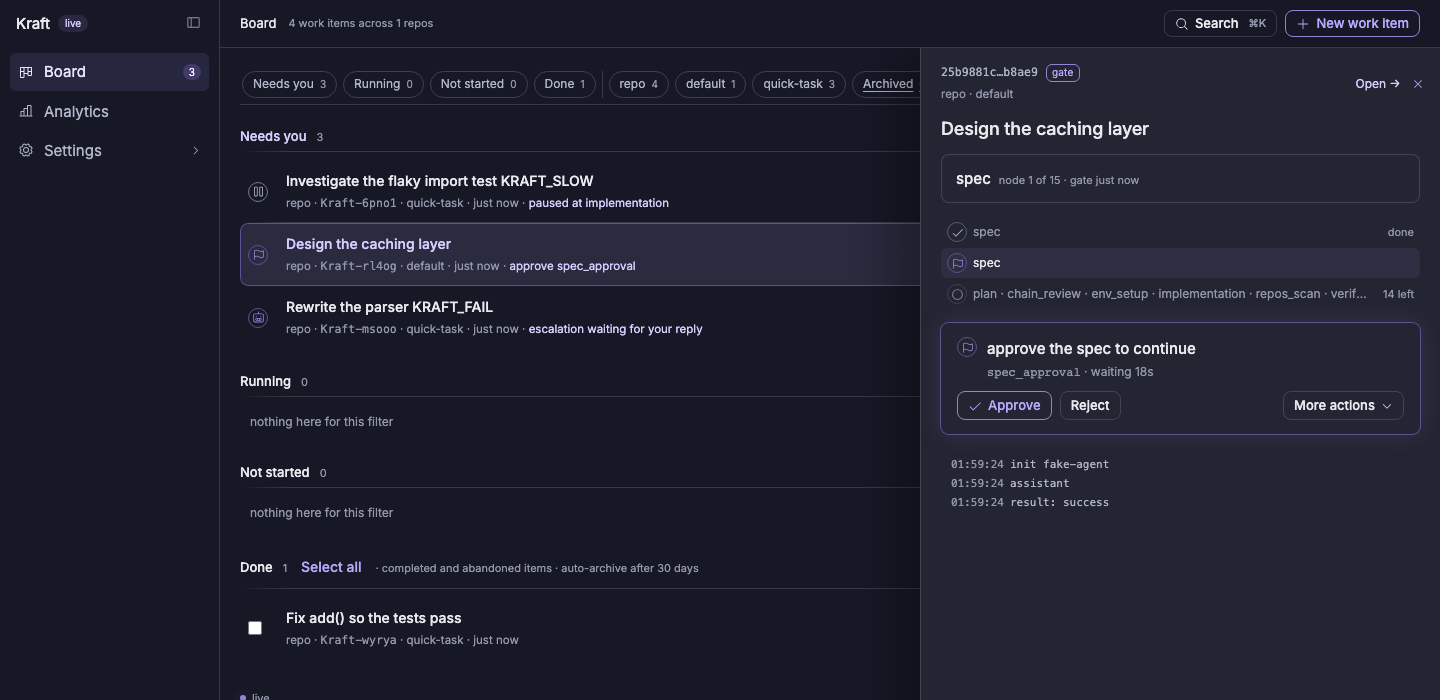
kraft view docs        # read the spec and plan Kraft wrote
kraft item approve     # or Approve on the board
Approving walks it to plan_approval, then on into implementation. Reject
instead, with kraft item reject --note "...", and the producing node re-runs
with your note as its steer — see
Concepts → Gate.
6. Review before it merges
kraft view diff --stat   # how big is it, before you read the whole thing
kraft view diff          # the coloured body, through $PAGER
The chain's last gate, human_review_approval, is where you actually read the
diff. Approve it and Kraft rebases, opens the merge request, watches CI, and
merges — no further input needed unless CI goes red or a rebase lands new
commits underneath it, either of which bounces the chain back to verify
rather than merging over untested code.
Where to go from here
- Concepts — the five-word vocabulary this walkthrough used: chain, node, hook point, adapter, gate, cap.
- Configuration — every field in
repos.yaml,registry.yaml,policy.yaml,access.yaml. - Agent integration — doing all of the above from inside a coding-agent session instead of this shell.
- Remote access — approving that gate from your phone.